
Introduction
In modern web applications, secure authentication is critical. At TechYantram, we build scalable and secure backend systems using JWT (JSON Web Token) for authentication in Node.js and Express applications.
JWT is widely used for API authentication, mobile apps, and microservices because of its simplicity and stateless nature.
What is JWT?
JWT (JSON Web Token) is a compact, URL-safe token used to securely transmit information between client and server.
JWT Structure
A JWT consists of three parts:
Header.Payload.Signature
- Header → Algorithm & token type
- Payload → User data (id, role, etc.)
- Signature → Verification key
Why Use JWT in Node.js?
At TechYantram, we recommend JWT because:
✔ Stateless authentication (no session storage)
✔ Scalable for large applications
✔ Secure & compact
✔ Works well with REST APIs & mobile apps
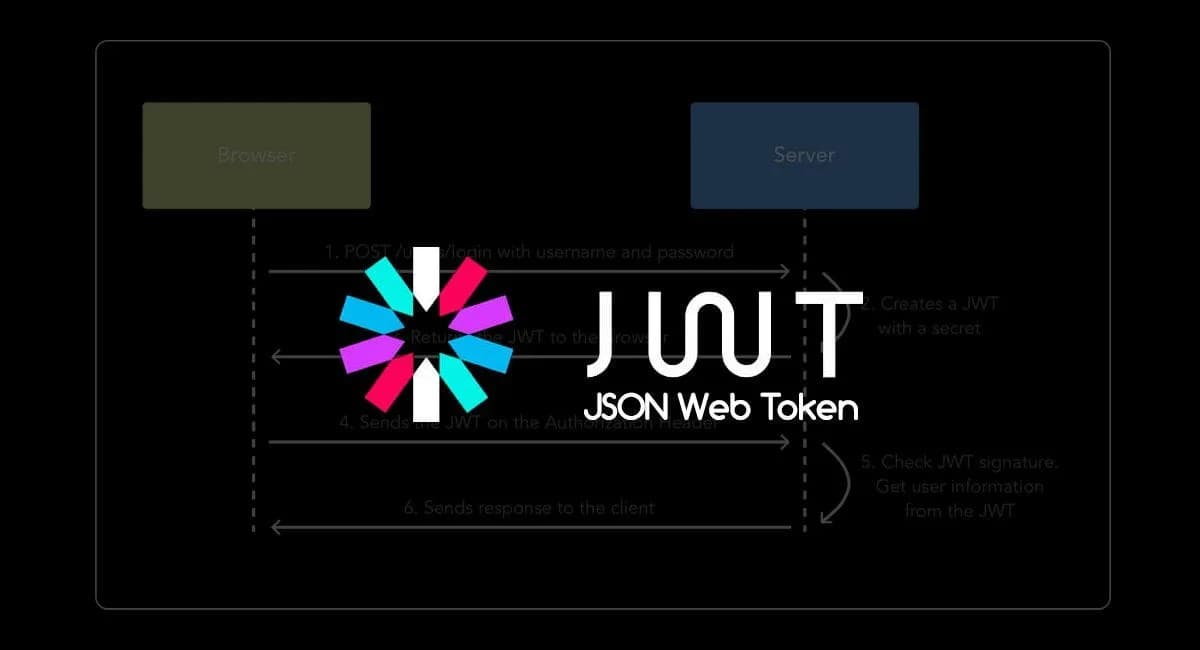
How JWT Works (Flow)
- User logs in with credentials
- Server verifies user
- Server generates JWT token
- Client stores token (localStorage / cookies)
- Client sends token in headers for protected routes
- Server verifies token and grants access
Step-by-Step JWT Implementation (Node.js + Express)
1️⃣ Install Dependencies
npm install express jsonwebtoken bcryptjs dotenv
2️⃣ Create Token
const jwt = require('jsonwebtoken');

const generateToken = (user) => {
  return jwt.sign(
    { id: user.id, role: user.role },
    process.env.JWT_SECRET,
    { expiresIn: '7d' }
  );
};
User Login API
const bcrypt = require('bcryptjs');

app.post('/login', async (req, res) => {
  const { email, password } = req.body;

  const user = await User.findOne({ where: { email } });

  if (!user || !(await bcrypt.compare(password, user.password))) {
    return res.status(401).json({ message: 'Invalid credentials' });
  }

  const token = generateToken(user);

  res.json({ token });
});
4️⃣ Middleware for Protected Routes
const jwt = require('jsonwebtoken');

const authMiddleware = (req, res, next) => {
  const token = req.headers.authorization?.split(' ')[1];

  if (!token) return res.status(401).json({ message: 'No token' });

  try {
    const decoded = jwt.verify(token, process.env.JWT_SECRET);
    req.user = decoded;
    next();
  } catch (err) {
    res.status(401).json({ message: 'Invalid token' });
  }
};
5️⃣ Protected Route Example
app.get('/dashboard', authMiddleware, (req, res) => {
  res.json({ message: 'Welcome user', user: req.user });
});
JWT Security Best Practices (TechYantram Recommended)
✅ Store secret keys in .env
✅ Use HTTPS always
✅ Set token expiration (never infinite)
✅ Use refresh tokens for long sessions
✅ Hash passwords with bcrypt
✅ Avoid storing sensitive data in payload
Common Mistakes to Avoid
❌ Storing JWT in localStorage without security
❌ Using weak secret keys
❌ Not validating tokens properly
❌ No token expiration
JWT Use Cases
- User authentication systems
- Mobile app login
- API security
- Role-based access systems (Admin/User)
- Microservices communication